- is a diagnostic ecosystem combining powerful functionality, an intuitive interface, and regular updates. It is suitable both for professional auto repair shops needing fast and accurate diagnostics, and for tech-savvy car owners who want a deep understanding of their vehicle's condition.
Download Software Documentation ›Full Diagnostic Spectrum:
The software provides access to a wide list of supported car brands. You can read and clear trouble codes (DTCs), view real-time parameters (data stream), perform service functions
(adaptations, tests), and configure control units (for supported makes);
Instant Data Access:
Intelligent auto-scan for all control units (ECUs) and a VIN search function save up to 80% of time on manual model selection. You get a complete electronic map of the vehicle in minutes;
Intuitive Navigation:
The software offers several ways to start. You can enter the vehicle's VIN for automatic make, model, and configuration identification, perform an automatic scan for all available control
units (ECUs), or manually select the make, model, and desired system;
Adaptive Design:
The interface automatically adapts to your device. Choose "Monitor", "Tablet", or "Phone" mode for optimal control size;
Flexible Visualization:
Light, dark, and high-contrast themes are supported, allowing comfortable work in any lighting and saving battery life on mobile devices;
Built-in Service Tools:
Additional modules are accessible directly from the interface: QNote note-taking software, QClients customer management system, and direct access to Support;
Regular Updates:
The database of vehicles and functions is constantly expanding.
This video provides a detailed overview of the ScanDoc program - a modern tool for car diagnostics. You will learn about the interface structure, the features available to the user, and how they can help you work faster and more efficiently.
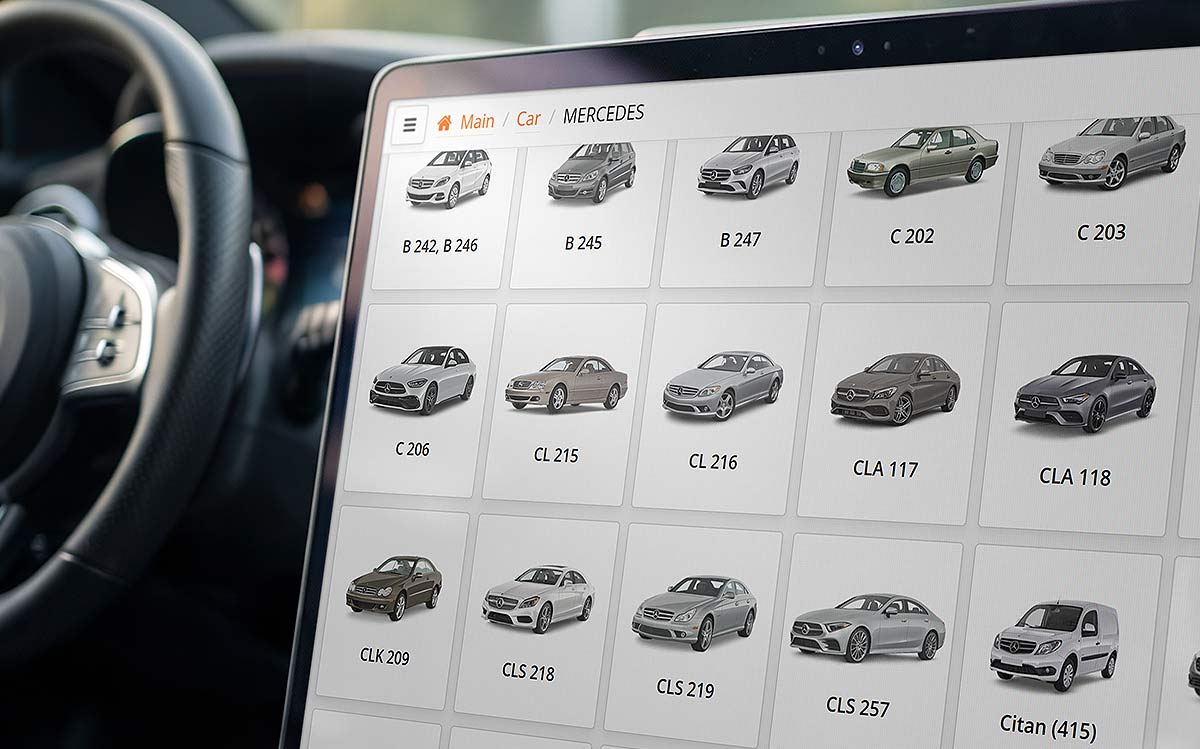
Selecting the car make for diagnostics is quite simple as the makes are divided by region. To select, just "click" on the logo or name of the make, after which the user enters the car model selection mode.
Each model is equipped with a picture, which allows you to ensure the correct choice. Accurate model selection is very important, as diagnostic protocols can differ significantly depending on the vehicle modification.
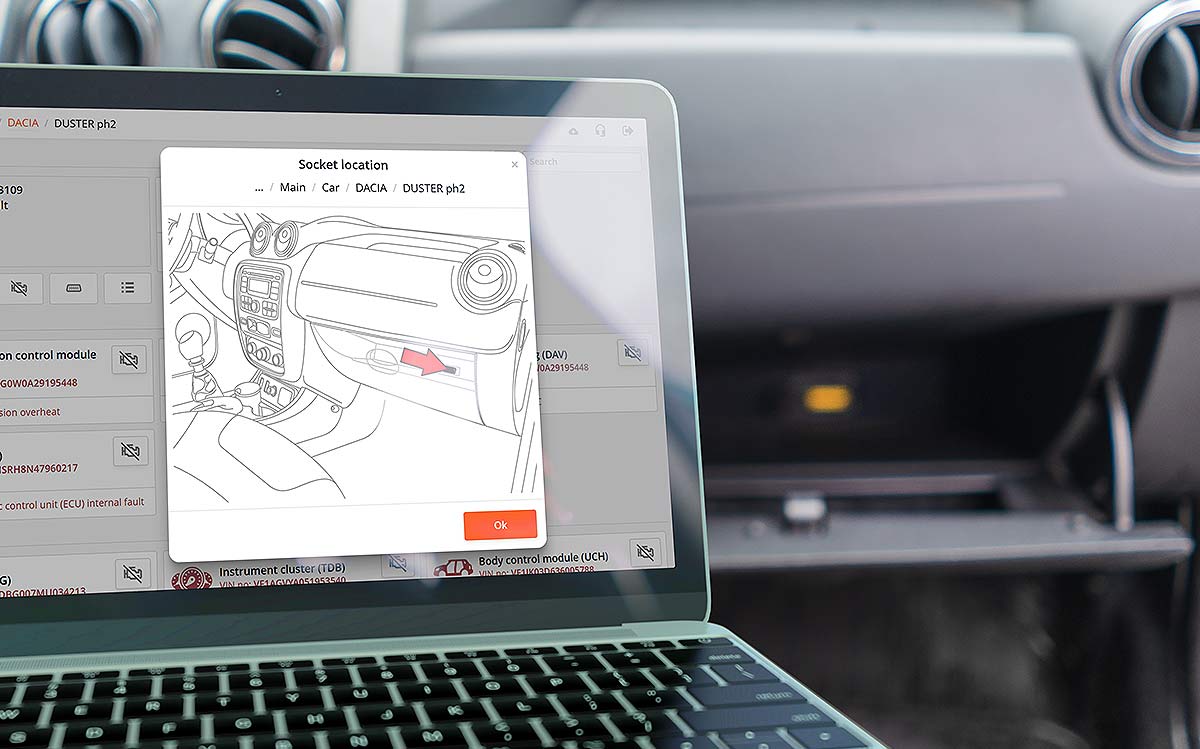
In different automotive concerns, the OBD-II diagnostic connector is located in different places. The scanner interface will indicate the location of the diagnostic connector.
Extended description of tests and service procedures.
Thanks to the latest HTML technologies, we have created a single platform that works on different devices and operating systems, such as iOS, Android, Windows, or Linux.
The interface automatically adapts to any device.
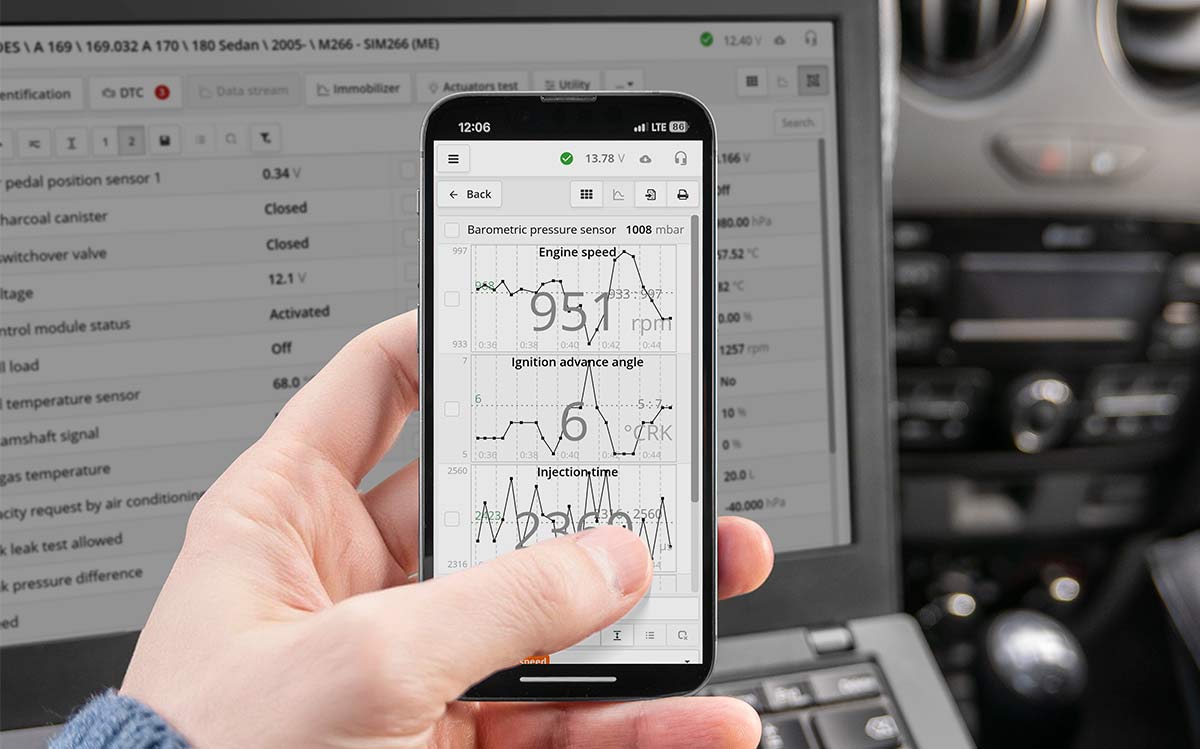
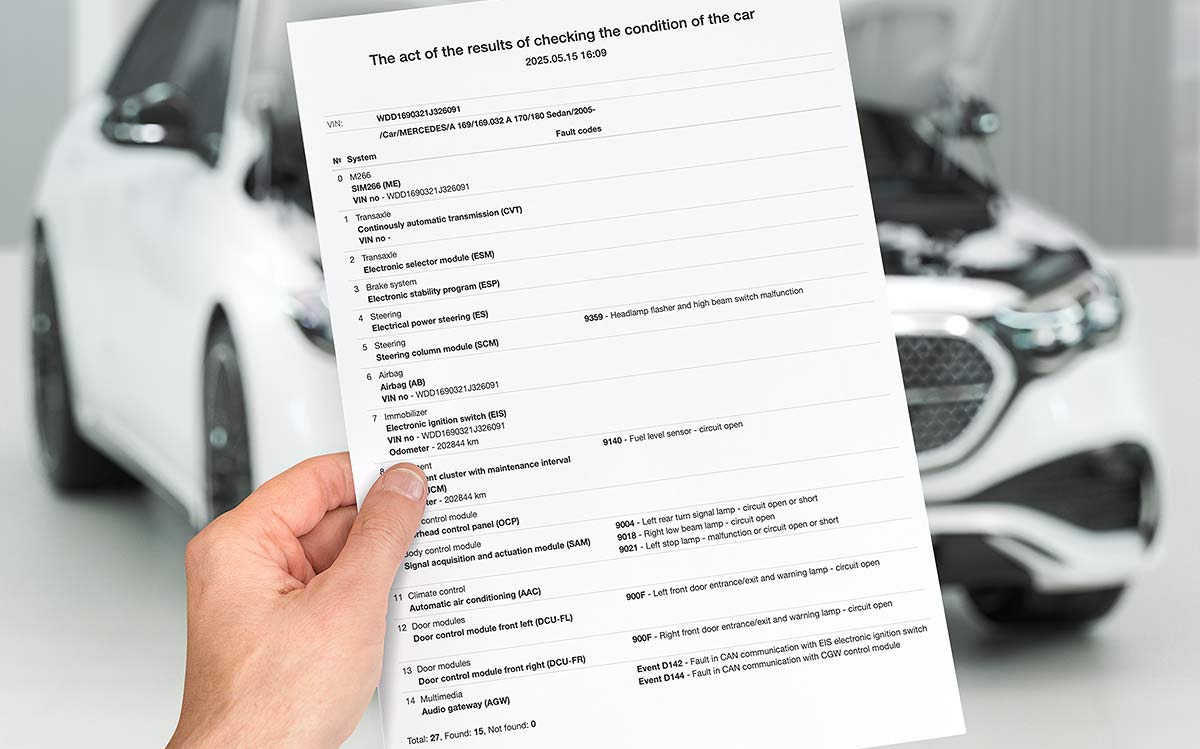
ScanDoc allows for a full scan of all vehicle systems, generating a final report on the number and nature of errors in each module.
The ScanDoc software provides the ability to store and view all diagnostic sessions performed – saving information about the client, identified errors, live data, and operations performed. The technician can quickly review the entire "medical history" of the vehicle being serviced.
Key parameters are displayed on the main instrument panel of the program, while all others can be displayed in a way convenient for the technician:
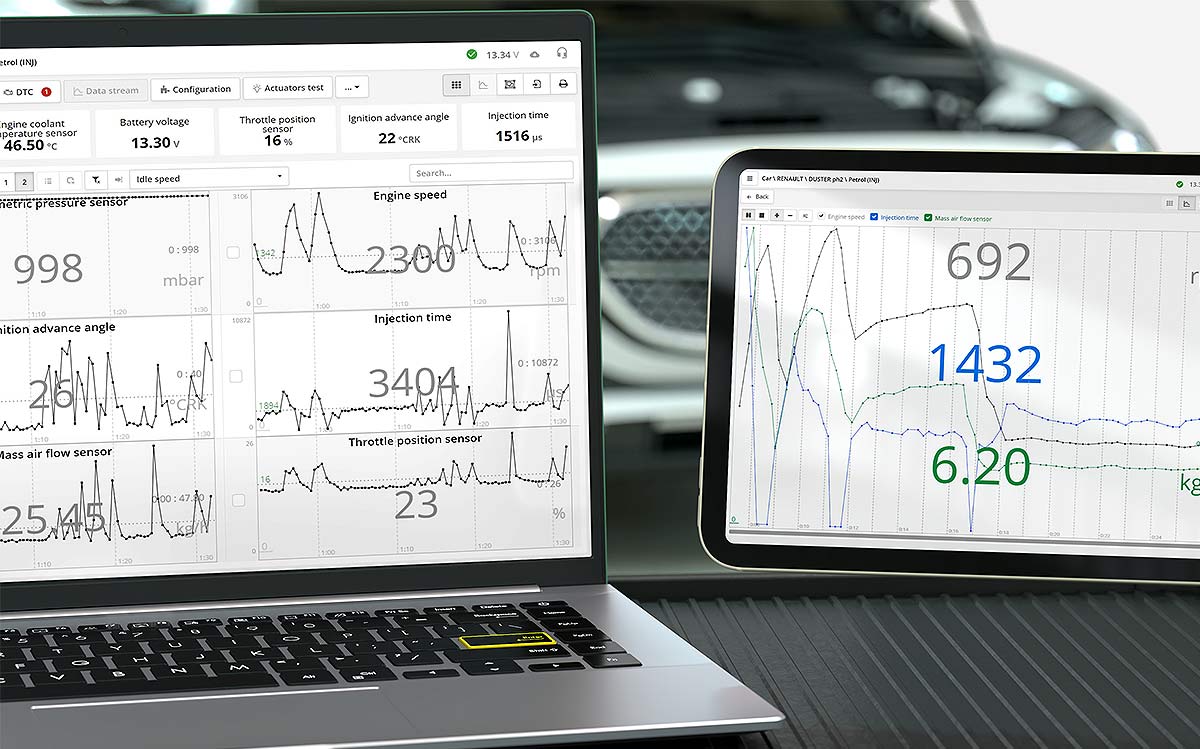
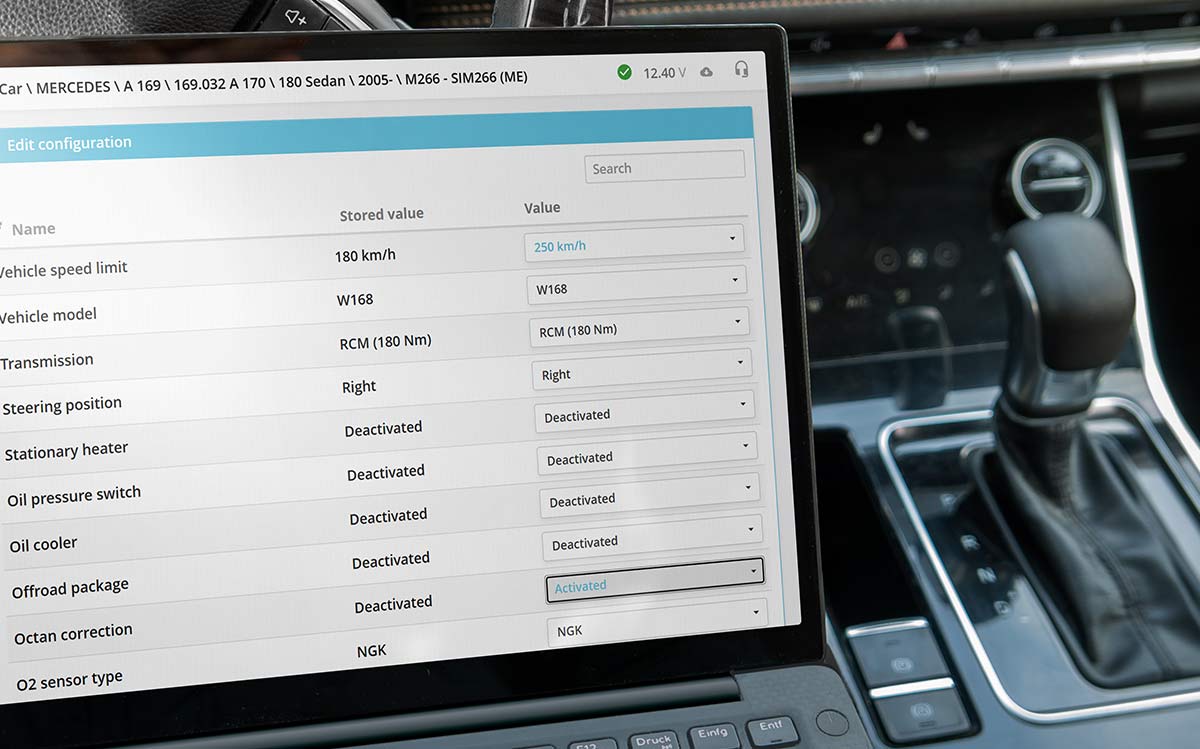
For car repair, it is very important that the scanner can perform the maximum possible number of service functions. We make every effort to equip the program with as many service functions as possible.
With ScanDoc, you can perform throttle adaptation, injector coding, automated transmission adaptation, fuel pump initialization, key or fob programming, odometer input when replacing the instrument cluster, ignition timing adjustment, idle speed adjustment, resetting adaptations, and more. The program provides a full description of the procedure and guides the technician through the steps.
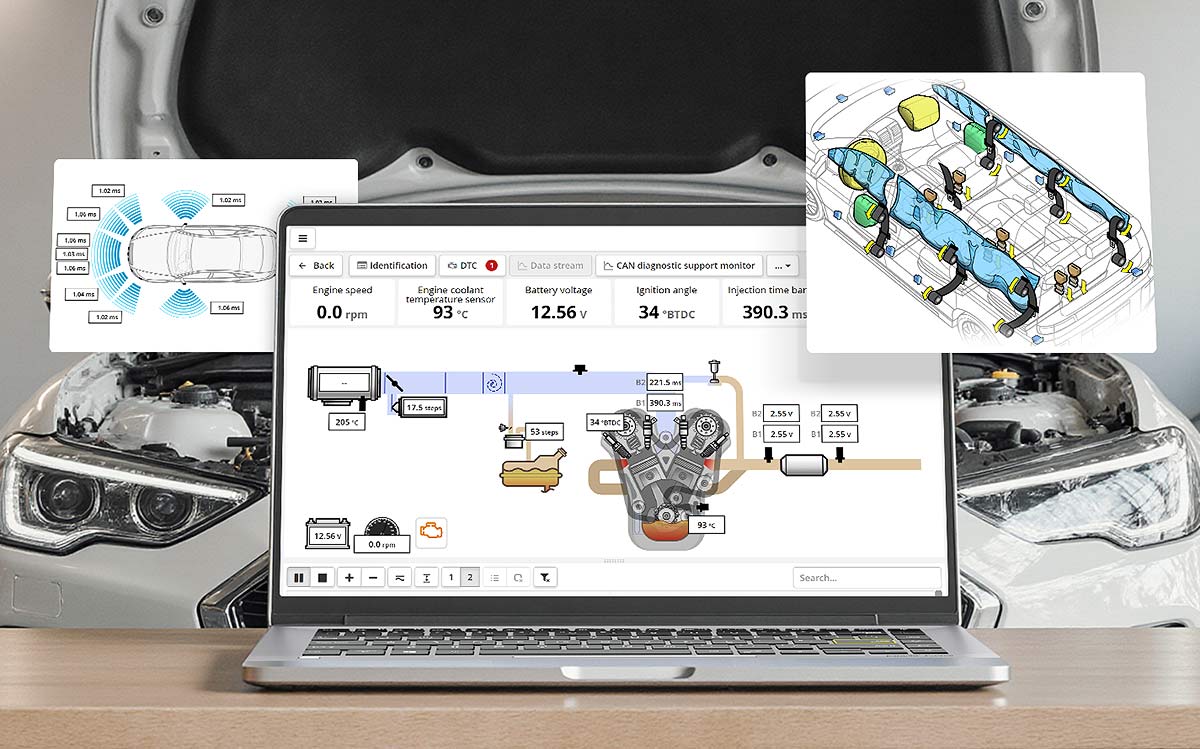
A revolutionary idea in data display - a diagram depicting the system being diagnosed - with sensors showing current parameters placed on it.
The main convenience of this mode is that all parameters related to individual systems are grouped into sections. The technician can quickly determine the cause of the malfunction without wasting time searching for data in a long general list of parameters.
Depending on the selected system, the view changes, displaying a structural, hydraulic, pneumatic diagram, or the airbag system and its corresponding sensors.
A faulty sensor (a sensor with a logged error) is highlighted in red. Clicking on a selected parameter opens its readings in graphical form for easier viewing.
 |
OBD-II |
Vw |
Audi / VW / Seat / Skoda |
Ac |
Acura / Honda |
Bm |
BMW / Mini |
Ch |
Chery |
Ci |
Citroen / Peugeot |
Ch |
Chery |
Cv |
Daewoo / Chevrolet / Buick (Beta) / Cadillac (Beta) / GMC (Beta) |
Fw |
FAW / JAC / Haima / Zotye / Changan |
Fi |
Fiat / Lancia / Alfa-Romeo |
Fd |
Ford / Mazda / Lincoln |
Gl |
Geely / Lifan / Brilliance |
Gw |
GWM / Changhe / FDQD / Shuanghuan / Dongfeng |
Hf |
Hafei / Xinkai / ZX / BYD |